Back to projects

HomeEase – Smart Home Services Platform

HomeEase brings home service discovery, booking, and appointment updates into one flow. I designed the experience around a homeowner who needs a same-day repair for a leaking kitchen sink.

Role
UX/UI Designer
Scope
Mobile-first service discovery, booking, and provider tracking
Deliverables
User flows, high-fidelity screens, and a clickable HTML/CSS prototype
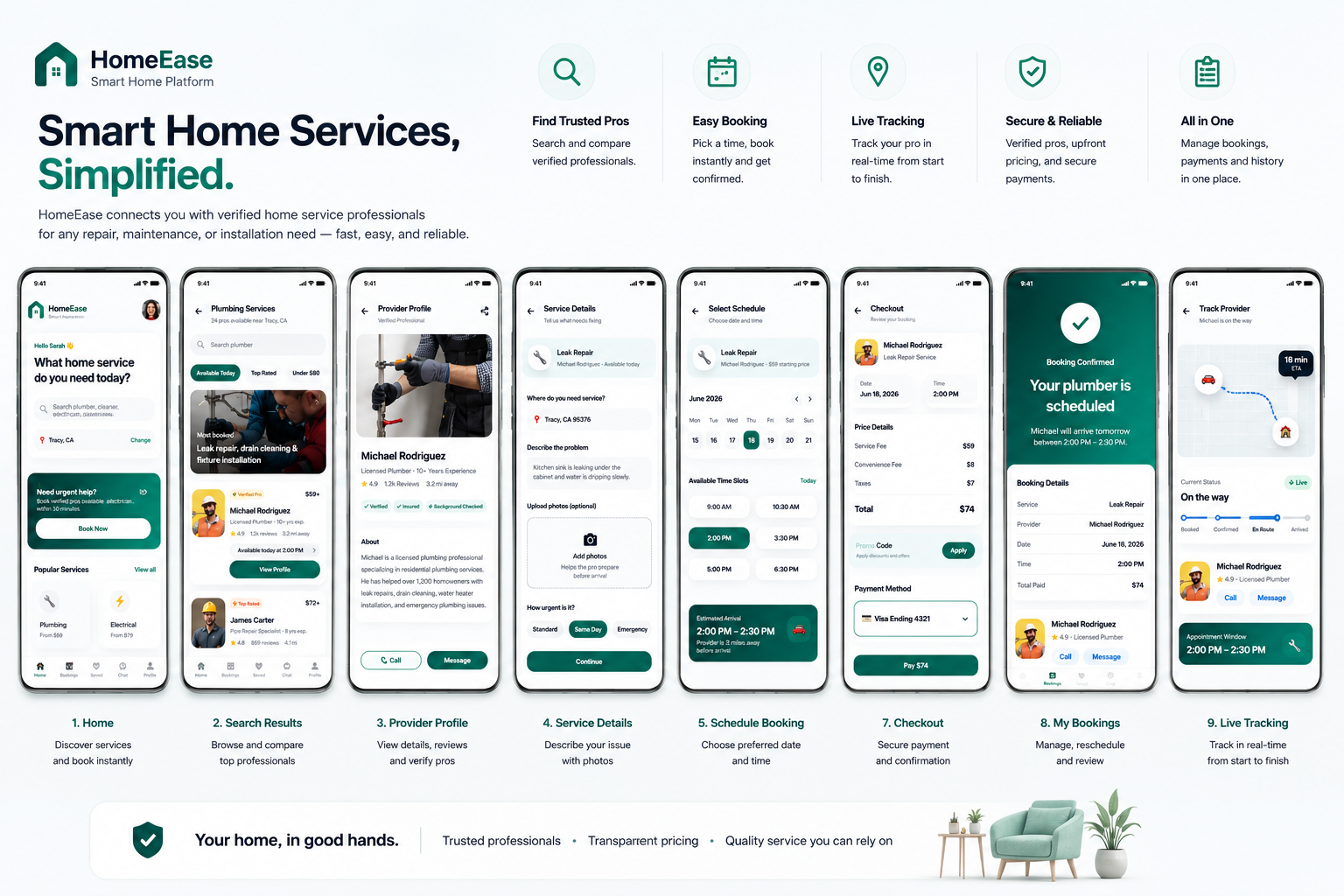
HomeEase Smart Home Services Platform case study cover

Problem statement

Booking a repair involves three decisions: who to hire, what the visit will cost, and when the provider will arrive. I designed the flow to answer each question at the point where the homeowner needs it.

Chapter 1

Choose a provider

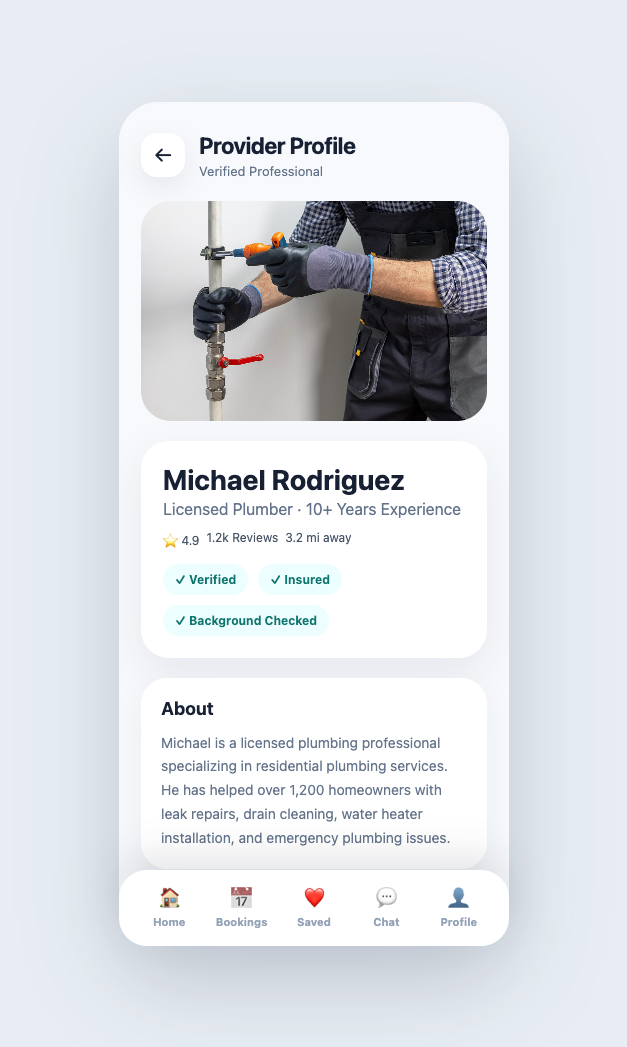
For a leaking kitchen sink, availability, starting price, and ratings let the homeowner compare plumbers quickly. The profile gives them a closer look at credentials before they choose.
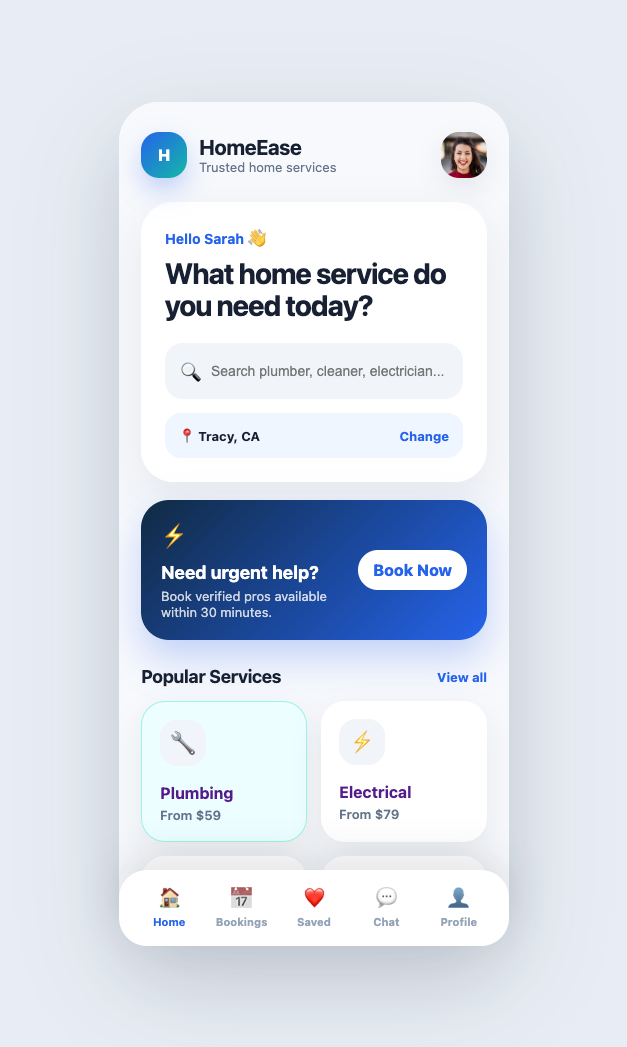
HomeEase Home screen with service categories and a quick booking option
HomeBrowse services or start an urgent repair request from Home.
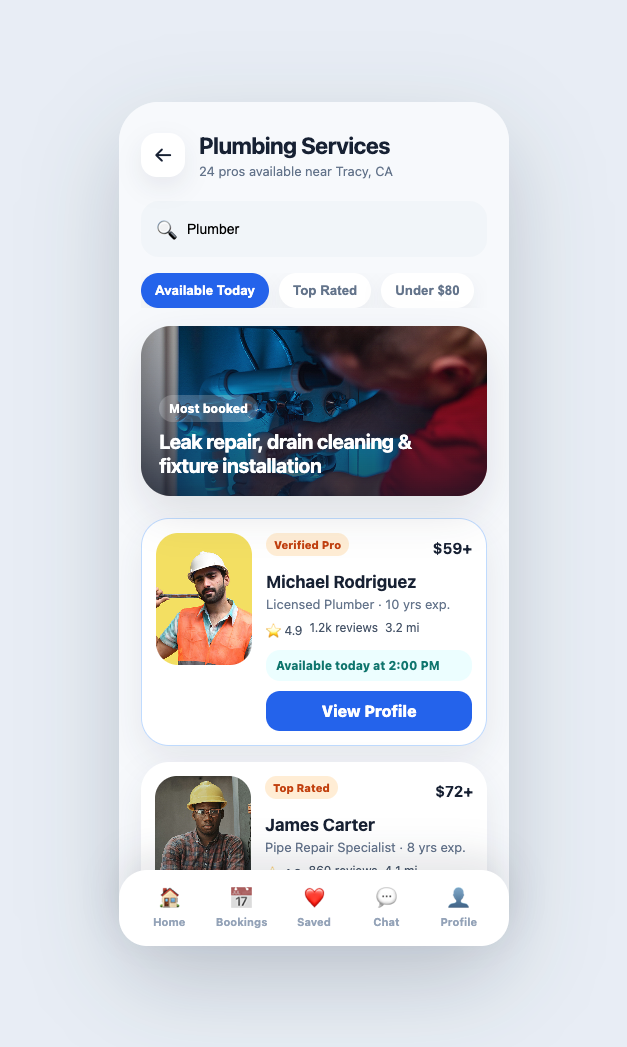
Plumber search results showing availability, starting prices, ratings, and profile links
Search resultsAvailability, starting price, and ratings make same-day options easy to compare.
Plumber profile with credentials, ratings, work examples, and a booking action
Provider profileThe profile brings credentials and past work together before the homeowner books.
Chapter 2

Book with confidence

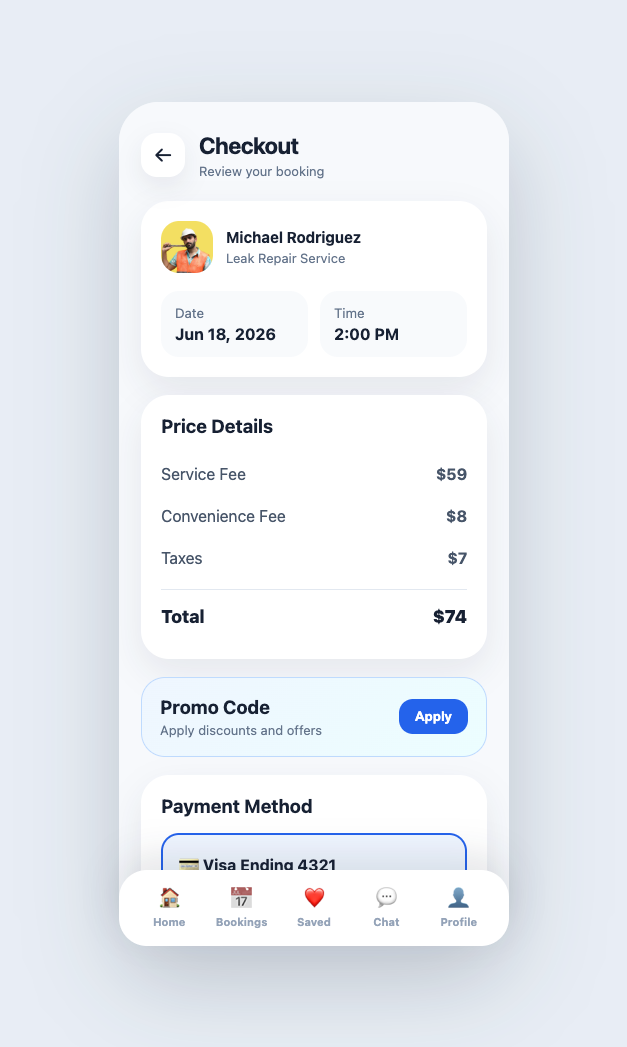
Once the homeowner chooses a plumber, the flow captures the leak details, makes the arrival window clear, and shows the full price before payment.
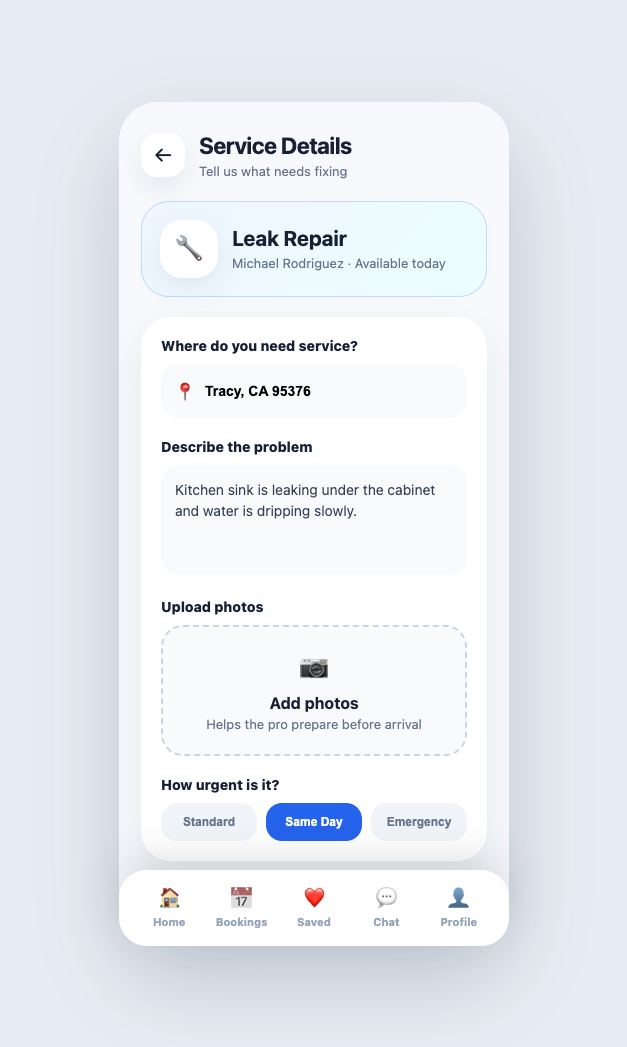
Booking form with a service address, leaking sink description, photo upload, and urgency options
Service detailsCapture the location, a short description, optional photos, and urgency so the provider has context before the visit.
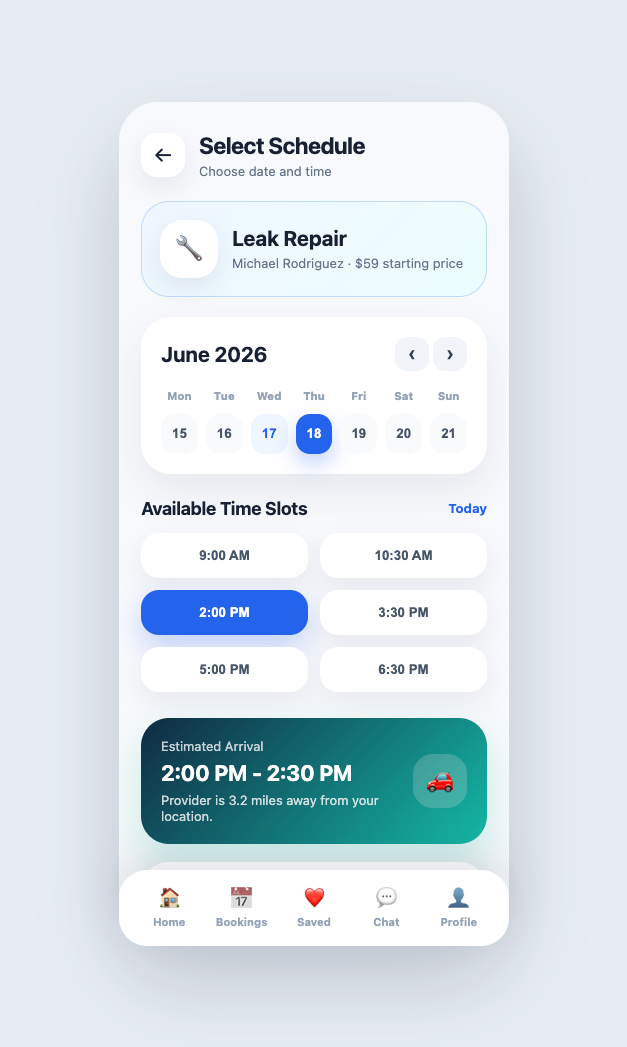
Booking calendar with the 2:00 PM slot selected and a 2:00–2:30 PM estimated arrival window
SchedulePair the selected 2:00 PM slot with an estimated arrival window of 2:00–2:30 PM.
Checkout with the selected date and time, an itemized price breakdown, and a $74 total
CheckoutRepeat the date and time and itemize the service fee, convenience fee, and taxes so the homeowner can see how the $59 starting price becomes a $74 total before payment.
Chapter 3

Know what happens next

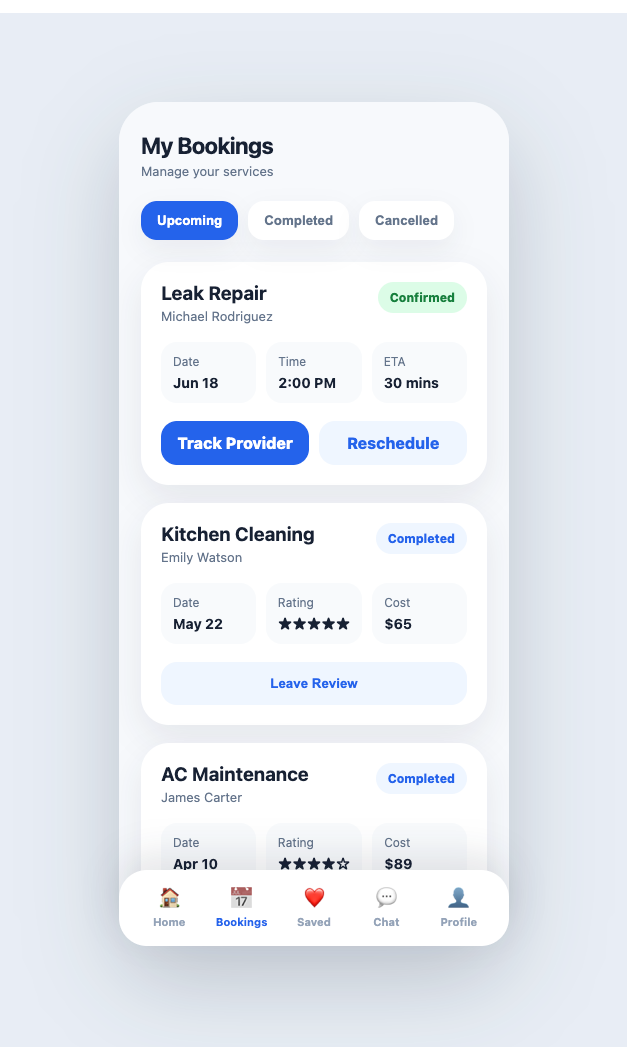
After booking the repair, the homeowner can confirm what they booked, return to manage the appointment, and see when the plumber is expected.
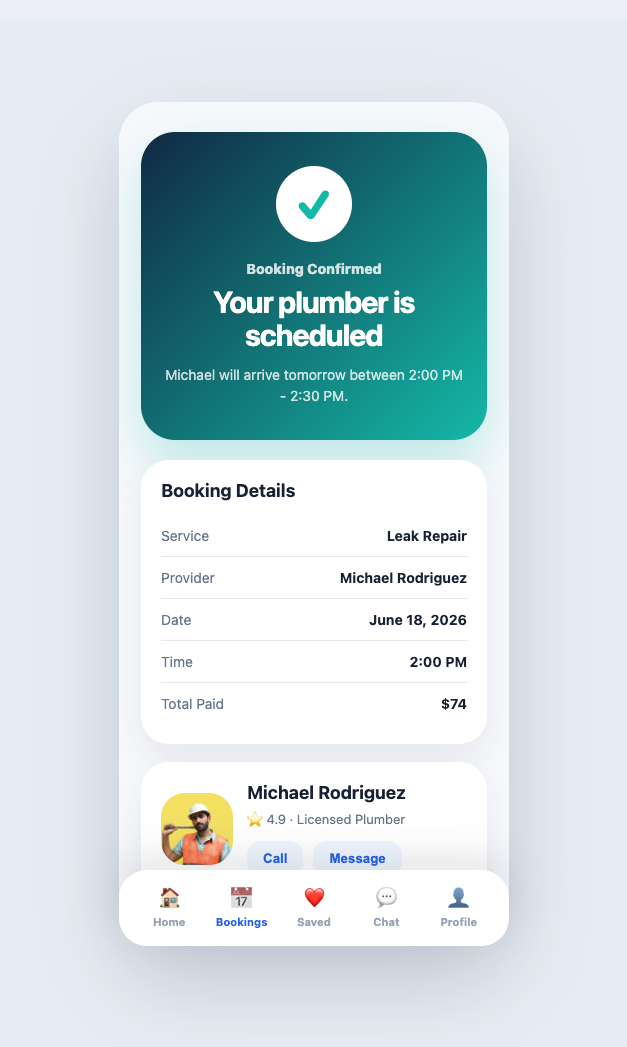
Booking confirmation showing the plumbing appointment summary and links to next steps
Booking confirmationThe confirmation summarizes the repair visit the homeowner just booked.
Upcoming plumbing appointment with Track Provider and Reschedule actions
My BookingsMy Bookings gives the homeowner a place to return for tracking or rescheduling.
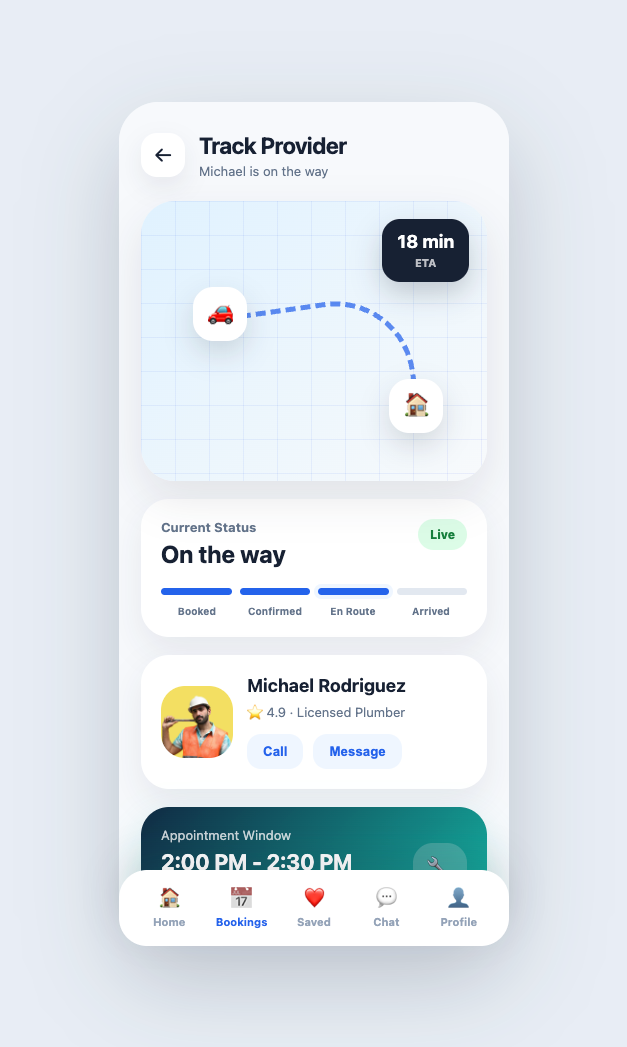
Provider tracking screen with appointment window, current status, estimated arrival, and Call and Message options
Track providerTracking brings together the appointment window, current status, estimated arrival, and provider contact options.

Prototype

I built a clickable HTML/CSS prototype to walk through finding a plumber, describing the issue, scheduling the visit, and checking the booking afterward.

The payment and live tracking screens show how those interactions were designed using sample data.