Smart Fitness Dashboard
FitPulse AI is a fitness analytics web app concept that brings activity, recovery, workouts, and goals together so users can decide what to do next.
Project details · UX/UI Designer · Freelance UX/UI project · Responsive web design and clickable HTML/CSS prototype
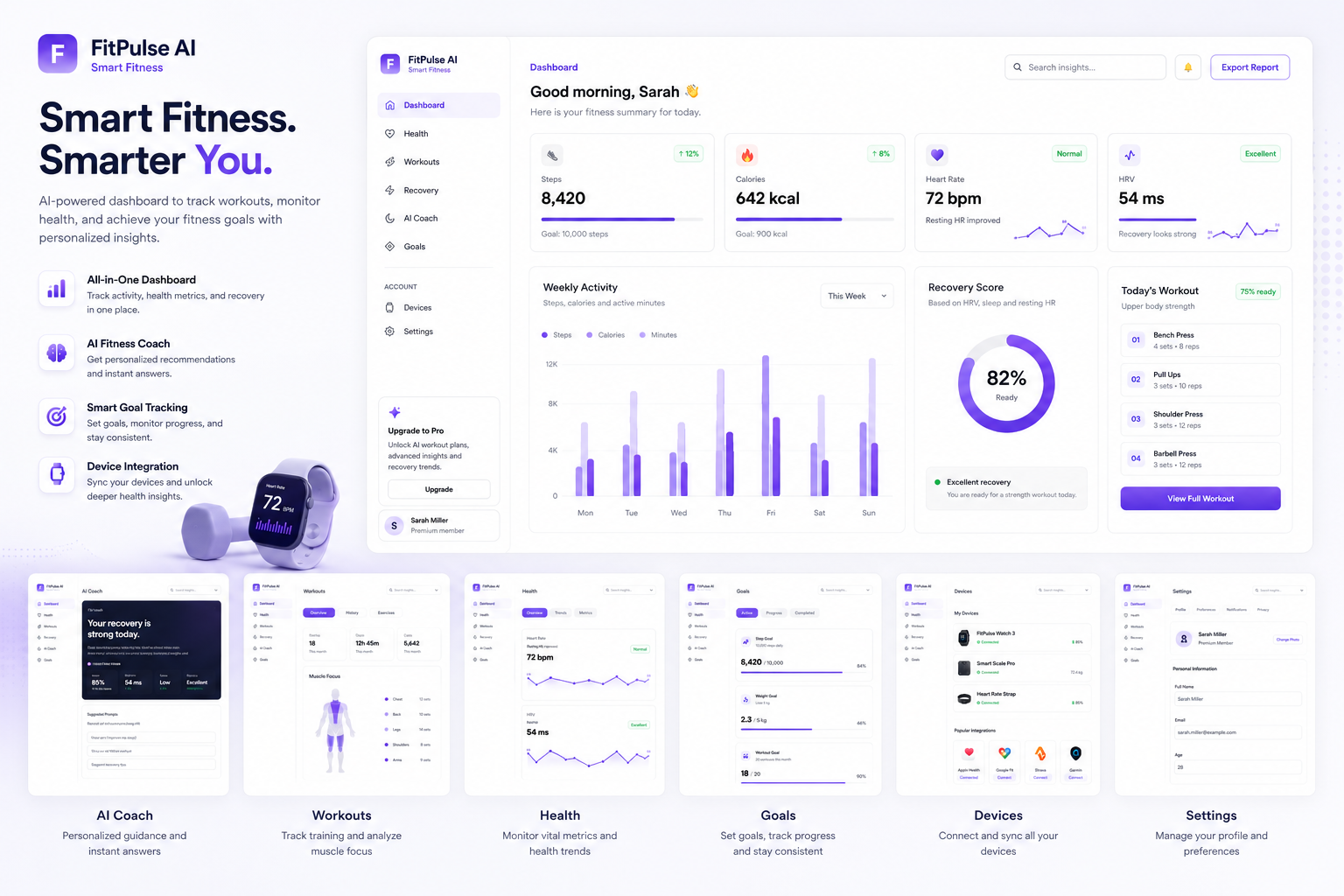
The problem
Steps, sleep, heart rate, and recovery scores are easy to collect. The design challenge was helping users understand what those numbers mean together and decide whether to train, recover, or adjust a goal.
Discovery & UX flow
I organized the experience around three questions someone might ask when reviewing their fitness data.
Representative UX flow
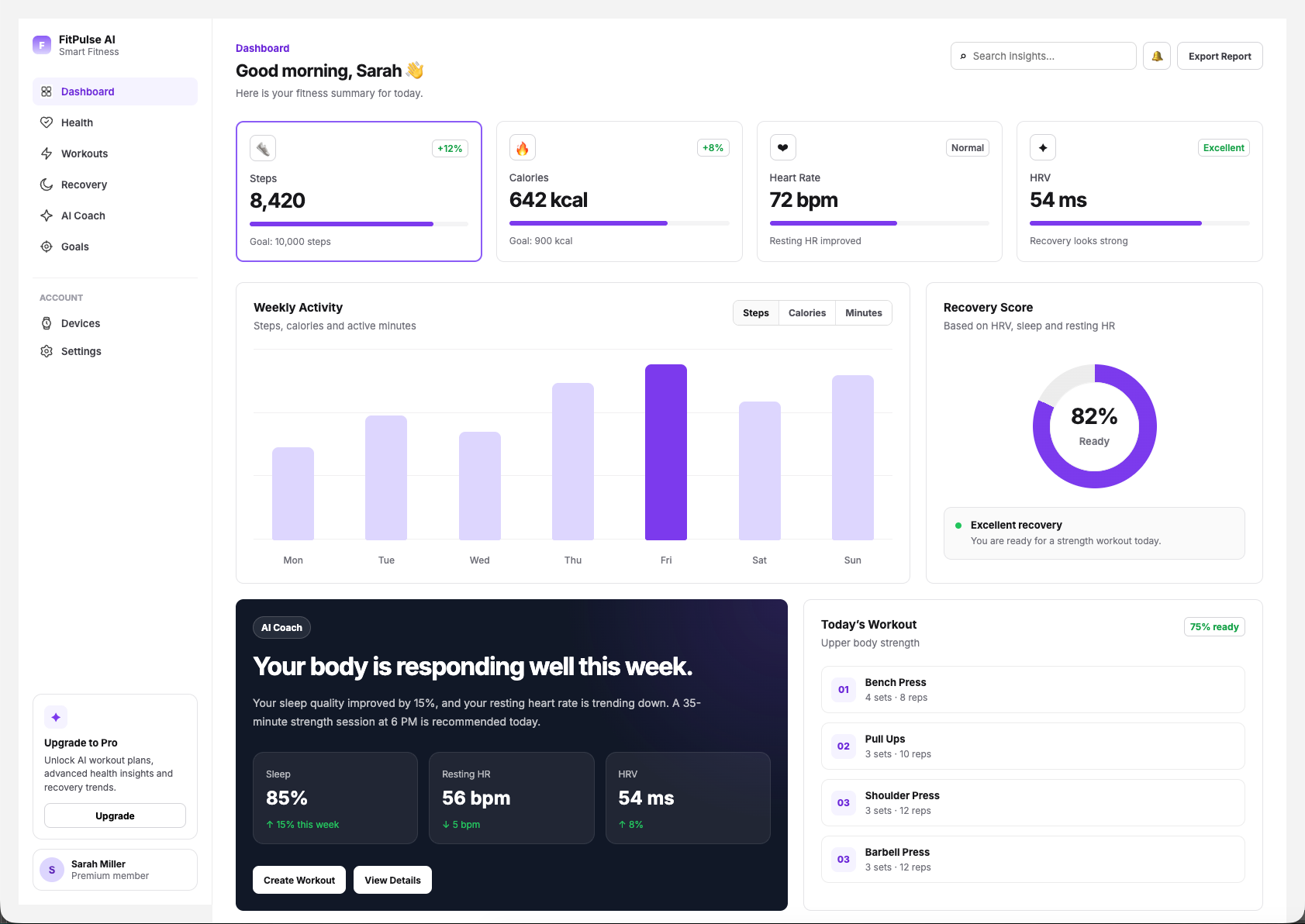
- What changed?Dashboard: Scan daily metrics, weekly activity, and recovery.
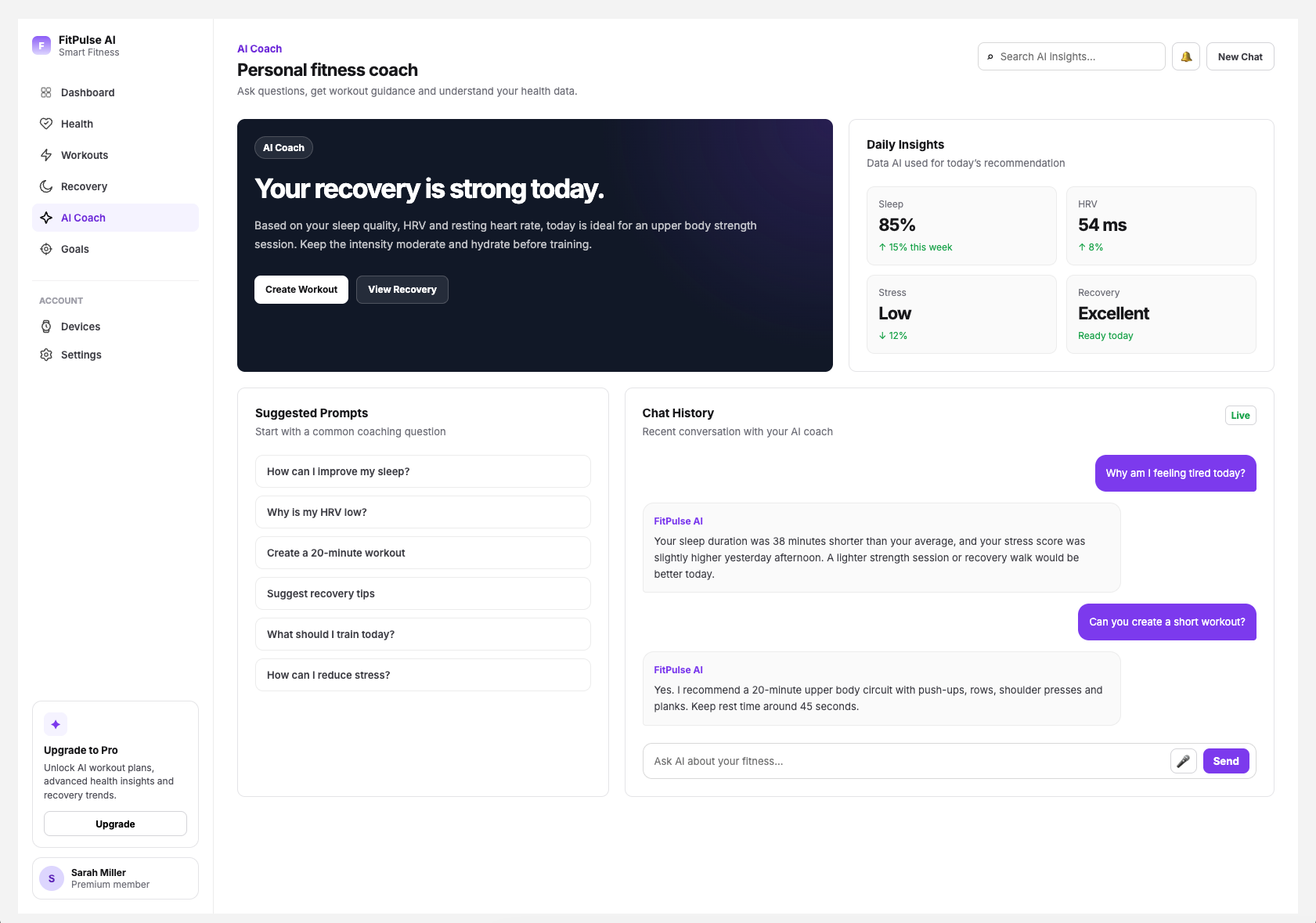
- What should I do today?AI Coach: Review the suggested workout and the signals behind it.
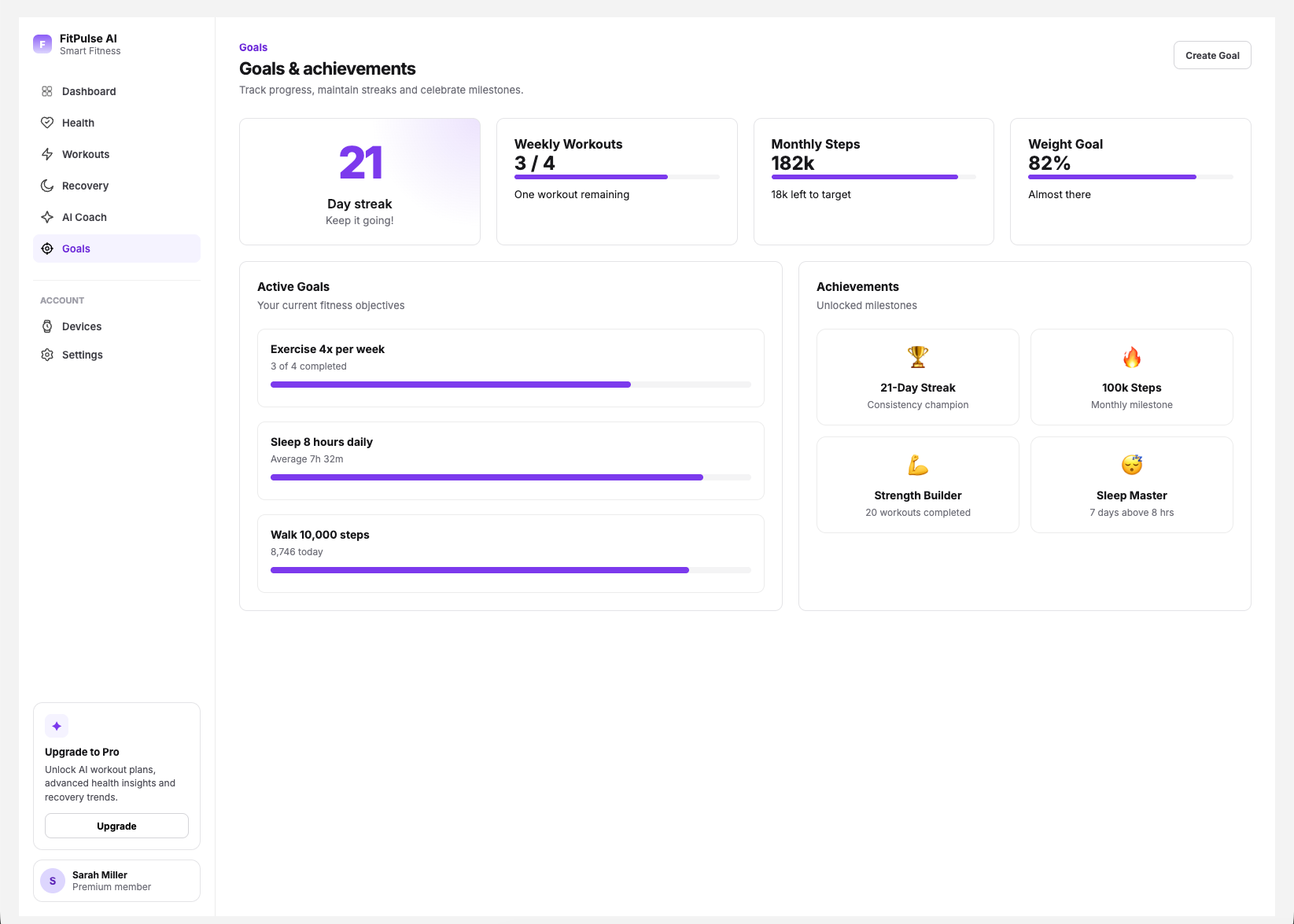
- Am I on track?Goals: See what’s left to reach a target.
Layout exploration
Dashboard content hierarchy
- Daily metrics firstGive users a quick read on their current status.
- Weekly activity and recovery togetherHelp users consider recent activity alongside recovery.
- Coaching and workout actions belowGive users a next step after they’ve seen the context.
High-fidelity design
Open any screen to see the full-size image.
Prototype & client acceptance
I built a responsive, clickable HTML/CSS prototype so the client could walk through the dashboard and its key screens. The client tested the prototype screens and accepted the designs.