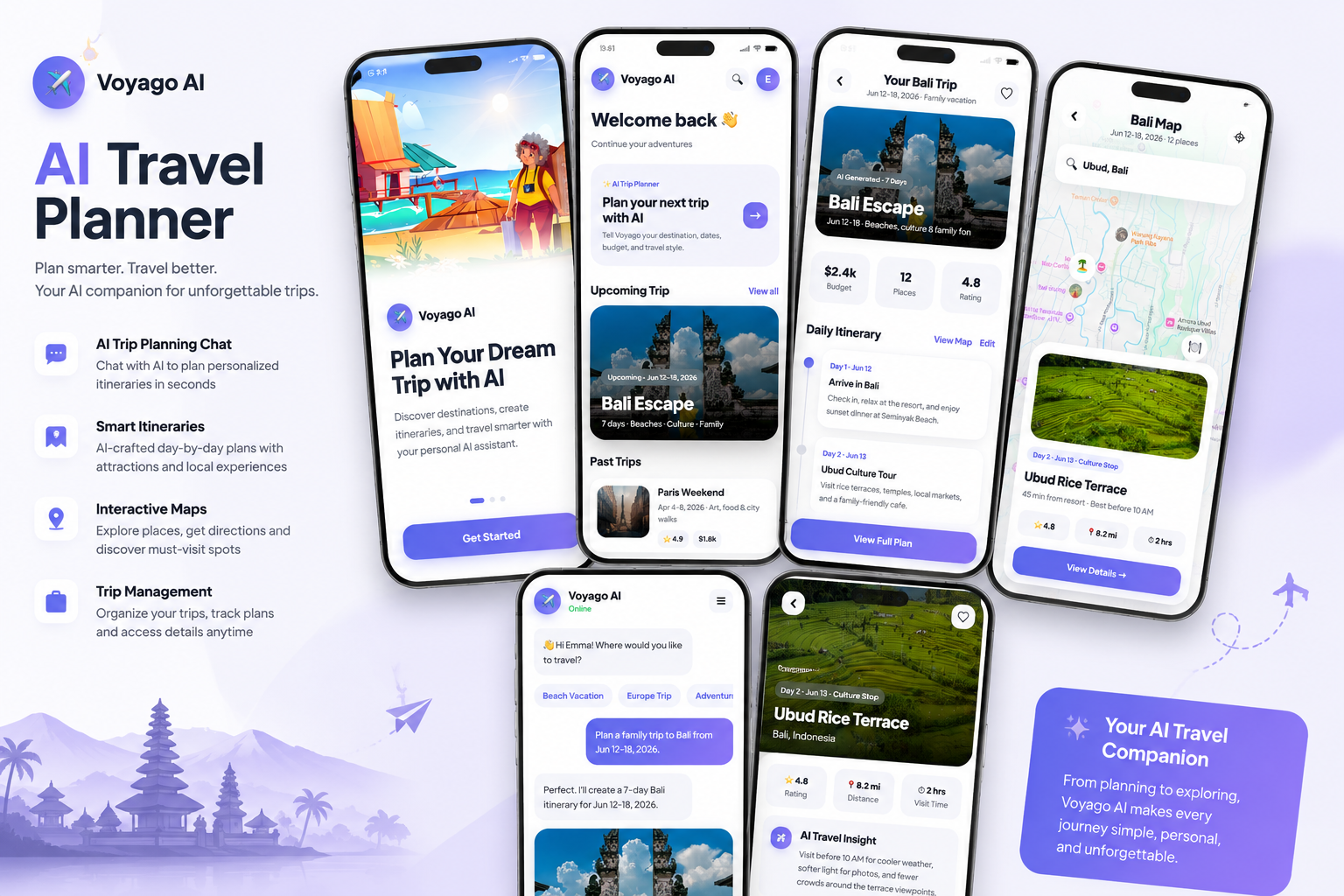
The challenge was to help a traveler returning to Voyago turn a family trip idea for Bali into a plan they could review, explore, and revisit.
Project details · UX/UI Designer · Mobile app design · Wireframing and interactive HTML/CSS prototype
Task analysis
Traveler task
Design response
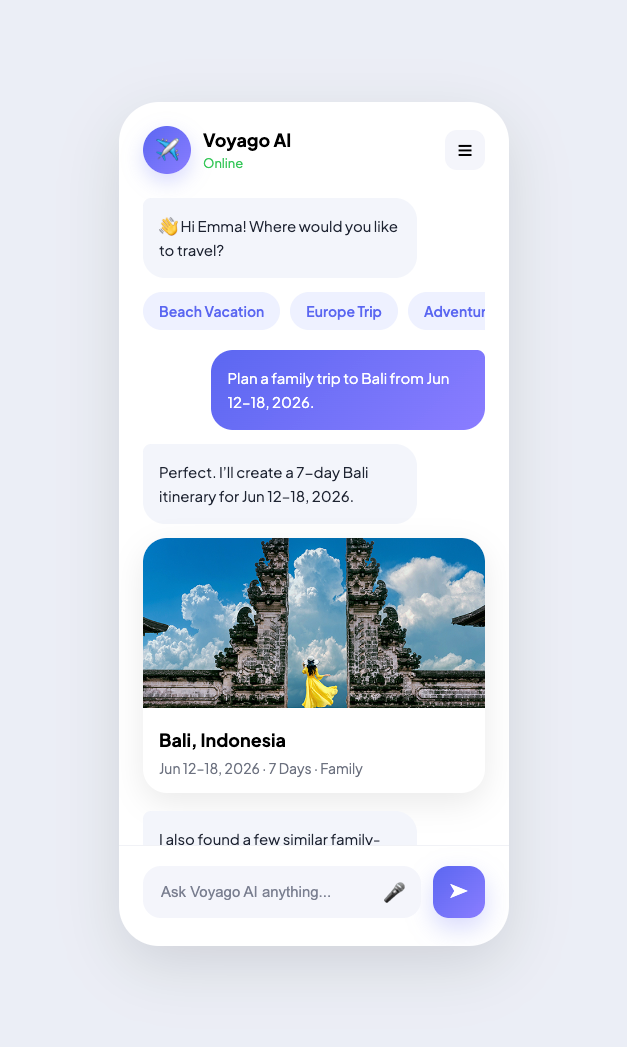
Start a new trip
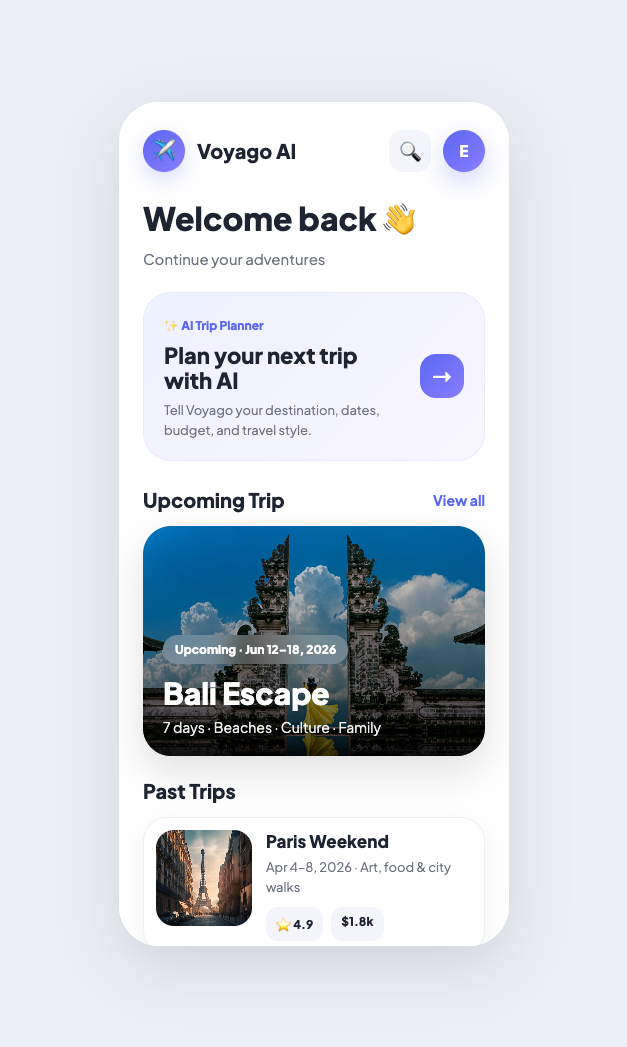
A labeled planning card on Home opens the chat flow.
Review the proposed plan
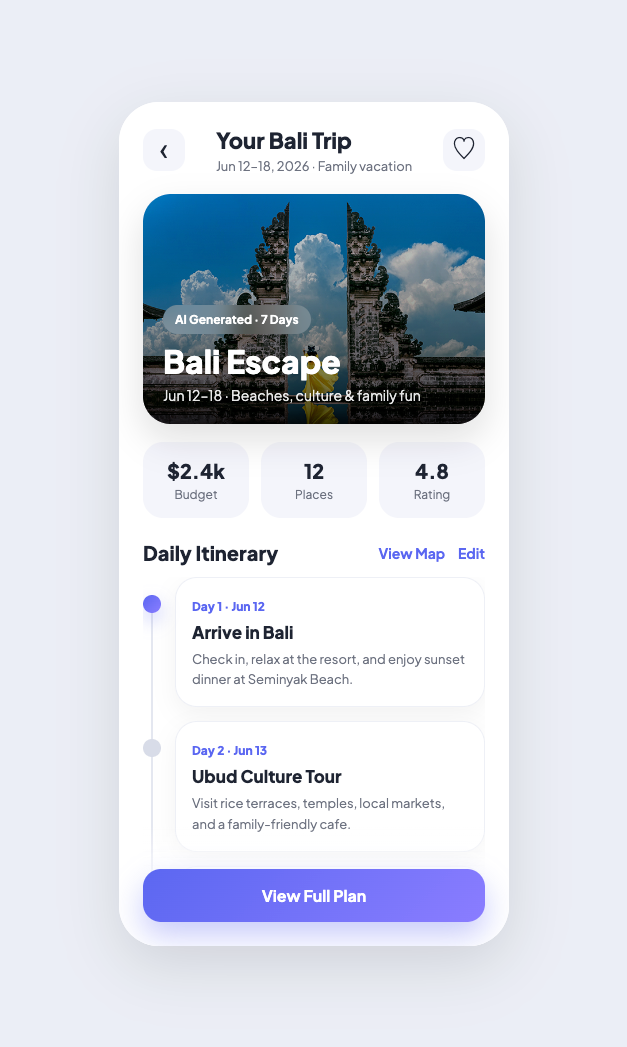
The itinerary organizes the trip by day.
Decide whether to add a stop
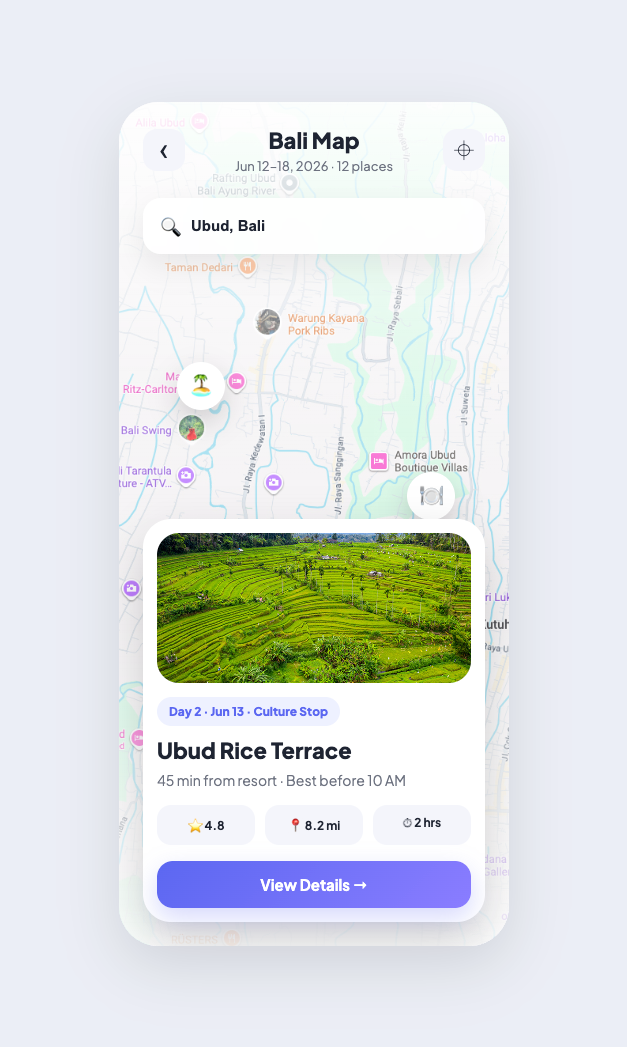
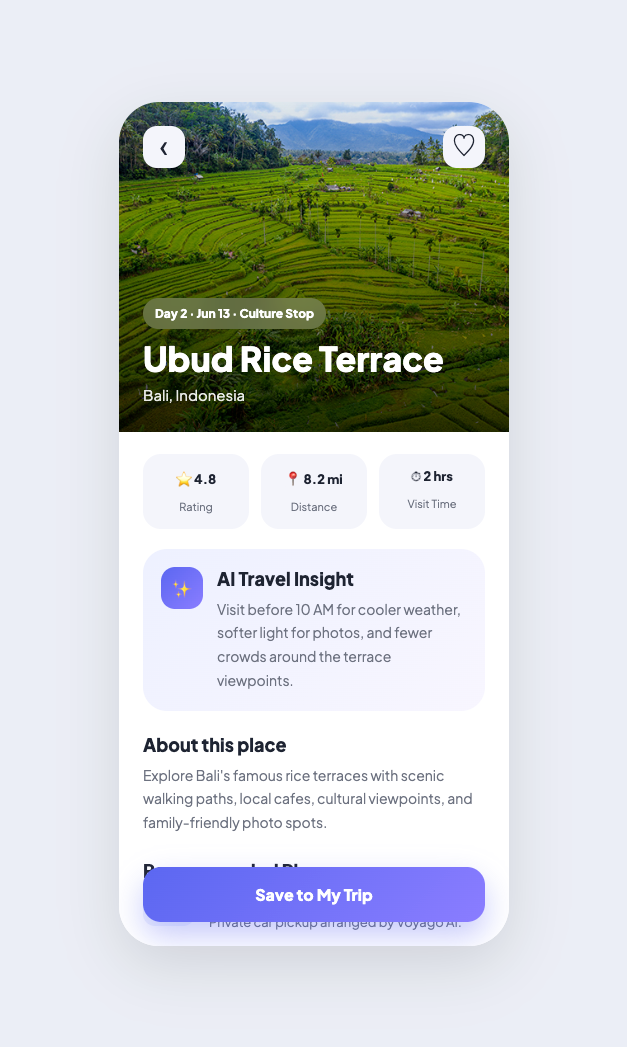
Map and place details show where the stop is, how long to allow, and how to save it.
Design decision
Make planning easy to find again
Onboarding introduced AI trip planning, but the earlier Home screen focused on upcoming and past trips. The search icon could look like ordinary search. I added a ‘Plan your next trip with AI’ card above upcoming trips so returning travelers had a clear place to start.
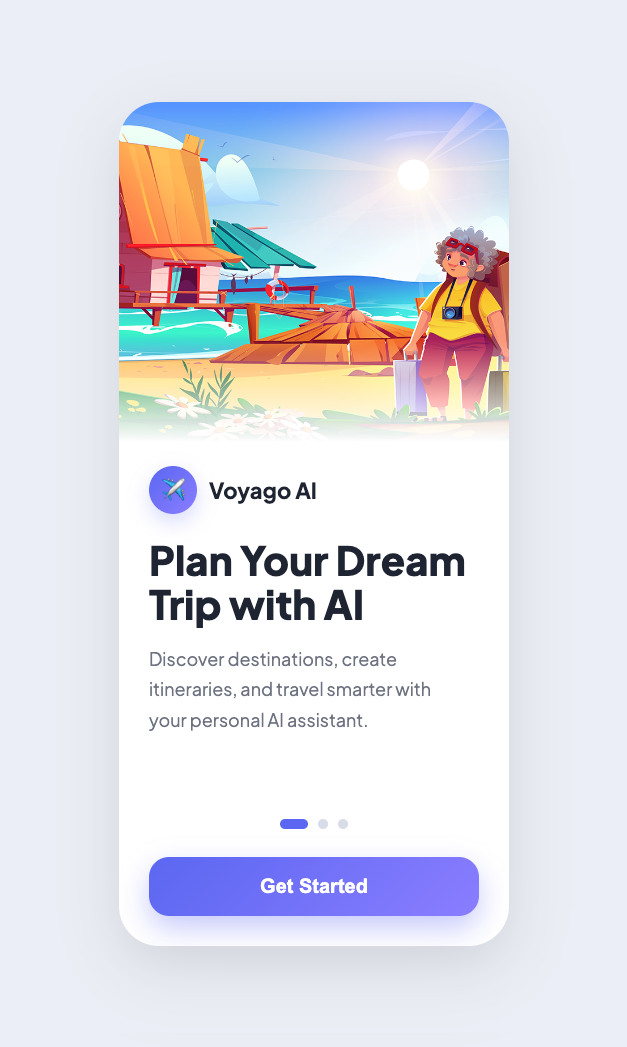
First visitOnboarding introduces AI trip planning.Returning visitRevised Home makes the AI planner easy to find above upcoming trips.
Task flow
Plan a family trip to Bali
Trip chatEnter the destination and dates in a conversational request.
ItineraryReview the suggested plan day by day.
MapInspect a stop in the context of the trip.
Place detailsCheck visit information and find “Save to My Trip.”
Prototype
I built a clickable HTML/CSS prototype that uses a sample trip and map to demonstrate the journey from Home to place details. As a next step, I’d ask a returning traveler to start a new trip and find how to save a stop.